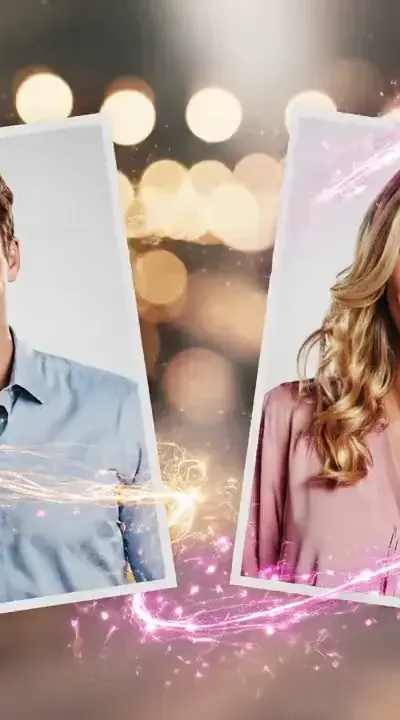
Why thousands of couples choose Romantic Video
Breathtaking altar ceremonies, formal wedding attire and timeless first dance animations.
Photos are processed for generation and stored temporarily. Scheduled cleanup removes files older than three days; contact support to request deletion.
Resolution and duration depend on the selected generation mode. View examples before purchasing.
Perfect for Instagram Reels, TikTok, and Stories.
Declarations of love
Surprise for a special date
Long Distance Romance
Personal gift
These images illustrate available scenes. Results depend on your photos and the selected mode.
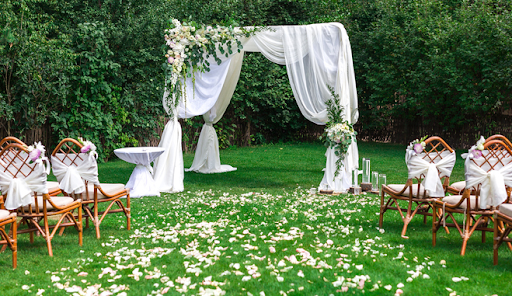
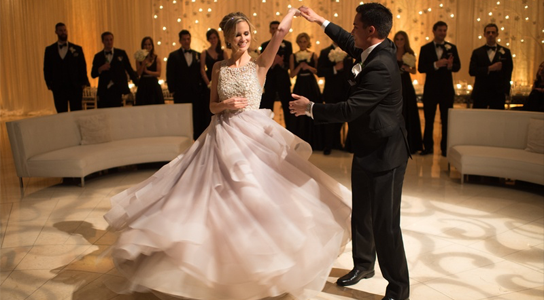
An AI wedding video generator creates a ceremonial wedding scene from two portrait photos using generative video AI. Create a wedding-themed AI clip from portraits for an invitation or anniversary message. Choose a wedding scene available in the generator; this visualisation does not replace footage of your actual ceremony.
Upload a clear photo of each person, select the scene and review the current credit cost and output settings before submitting. Creation time depends on the selected mode and queue. Review the finished clip before downloading or sharing it.
This is an AI-generated scene, not a recording of an actual event. Check faces, hands and motion in the finished video. Share it as an AI creation and obtain the depicted people’s permission before publishing.
Choose the perfect package for creating magical content
Answers to frequently asked questions
Yes. The wedding module synthesizes formal attire and ceremonial backgrounds while preserving facial identity from your source photos.
You can download the finished MP4 video and embed it in digital wedding invitations, save-the-date cards, or anniversary announcements.
No exact likeness or natural movement is guaranteed. Results depend on the source photos, scene and selected generation settings. Facial details, hands and body positions can change.
Photos are processed to generate the clip and may also be processed by the selected AI provider. Temporary storage is cleaned daily for files older than 3 days; showcase examples are excluded. See the privacy notice for processing and retention details.
Check the current credit balance, scene options and export settings in the generator. A different input or scene requires another generation under the current conditions. Bonus credits are conditional; they do not guarantee a free video for everyone.
Photos are processed for generation and stored temporarily. Scheduled cleanup removes files older than three days; contact support to request deletion.
AI combines photos and creates movement. Likeness and results depend on photo quality and the selected scene.
Yes, this is a tool for creating romantic content. We highly recommend using only your own photos or photos with partner consent.
You can upload photos in two ways: drag files to the upload area or click 'Select File'. Supported formats: JPG, PNG. Max size: 20MB.
Clear portrait photos with good lighting work best. The face should be clearly visible, preferably full face. Avoid sunglasses or covered faces.
A ready photo is an image of two people already together. You can upload this to skip the merging step and go straight to video creation.
Processing time depends on the mode and queue. The generation status is displayed on screen.
Over 10 romantic scenes are available: beach sunset, cozy cafe, rooftop city view, autumn park, and more. You can also describe your own unique scene.
Yes! After creating the image, you can click 'Change Scene' and choose a different setting for the same photo.
Main-site payments are confirmed through Tribute. Available checkout methods are shown before purchase.
A bonus photo may be granted under the current referral-program conditions after a friend's code is activated. Video creation requires an available video credit.
Contact support after a technical failure to review the generation and return deducted credits. Monetary refunds follow separate terms.
Invite friends — when they enter your promo code, you BOTH get +1 photo free!
Share your promo code (KISS-XXXX) with friends. When they register and enter it, you BOTH get +1 photo.
No limit! The more friends you invite, the more photos you get!
Contact our support team and we will help you
Create a romantic video right now!
We collect anonymous page performance measurements and retain only daily aggregates for 28 days. These measurements contain no photos or personal data. Do Not Track and Global Privacy Control preferences are respected.

 Russian
 English
 Español
 Português
 Deutsch
 Français